

Calculate determinant, inverse, RREF, rank, trace, transpose, and supported eigenvalues.
Matrix + Stats
Handle systems and datasets without leaving the calculator workspace.
Callie Pro provides dedicated Matrix and Stats workspaces for systems of equations, linear algebra, regression, distributions, ANOVA, structured result cards, and CSV workflows.
These tools stay connected to graphing, CAS, Python, Catalog, Table, Trace, and export options so the result can lead naturally into the next step.
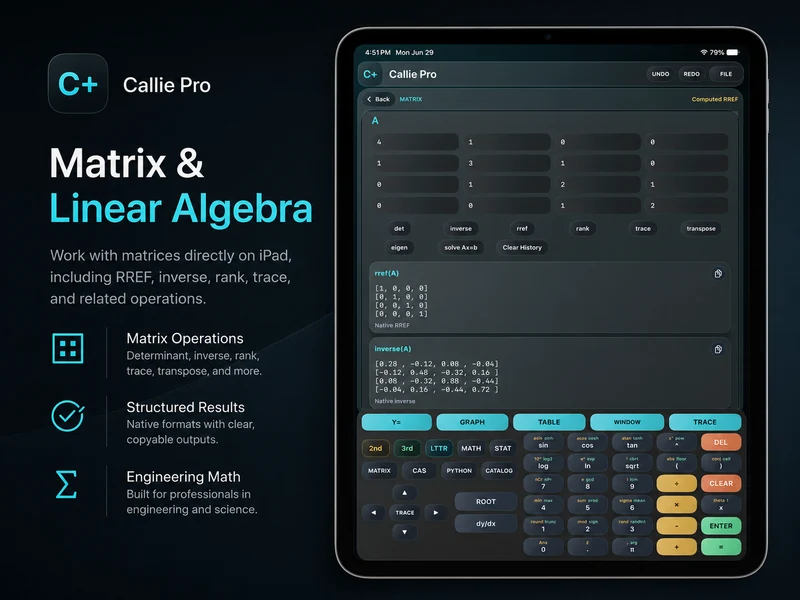
Work directly with matrices and systems.
Enter matrix values, run a dedicated operation, and keep the structured output visible for review or copying.
Use the dedicated system-solving workflow when a matrix represents simultaneous equations.
Review native result cards instead of parsing a long calculator expression.
Analyze data with dedicated statistical tools.
Stats supports descriptive work, regression, distribution cards, ANOVA, and dataset handling designed to remain readable on iPad.
Reuse the result.
Copy result cards, move data through CSV workflows, and continue into graphing or Python when the analysis needs another representation.
Related Callie Pro topics
Keep exploring the math.
Explore Callie Pro in depth.
The user guide covers graphing, Temporal Mode, Complex 3D, CAS, Python, Matrix, Stats, Table, Trace, constants, and export workflows.