

Plot functions and systems, adjust the window, inspect Table values, and use Trace for exact points.
Callie Pro for engineers
An engineering calculator workspace built for the whole problem.
Callie Pro keeps graphing, symbolic algebra, matrices, statistics, scientific constants, Trace, Table, and a protected local Python workspace together on iPad.
Use it when an engineering question moves from an equation to a graph, a system of equations, a numerical check, and a result you need to inspect or export.
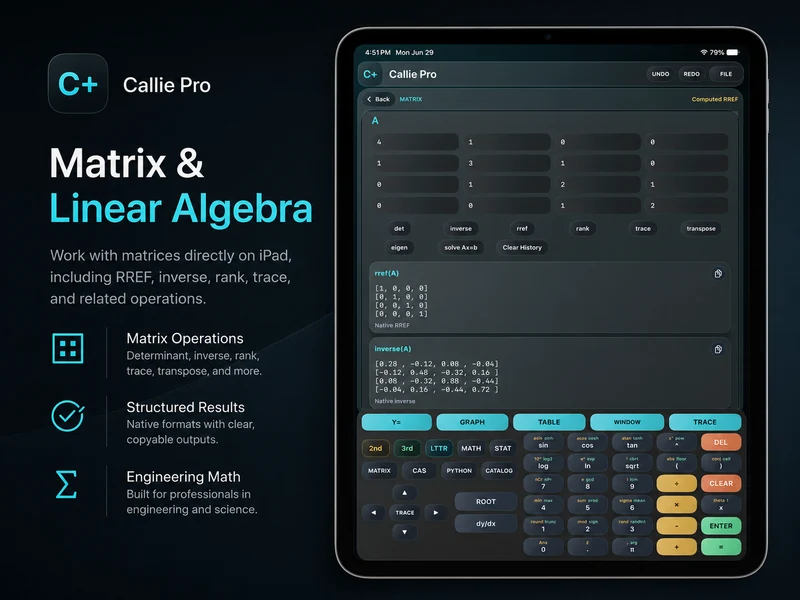
Connected workflow
Move between representations without rebuilding the work.
Engineering math rarely stays in one form. Callie Pro keeps equations, graph fields, tables, traces, matrices, statistics, and numerical scripts close enough to support one continuous investigation.
Use Matrix tools for RREF, inverse, determinant, rank, trace, eigenvalues, and Ax=b solving.
Write visible calculator-style Python scripts in a restricted local workspace for numerical experiments.
Reference data
Scientific constants stay inside the calculation.
Catalog organizes engineering and scientific constants so you can insert a symbol or numeric value directly into an expression instead of stopping to look it up elsewhere.
- Search constants by discipline and topic.
- Insert symbols or numeric values into expressions.
- Copy structured results for notes, reports, and follow-up work.
Reusable output
Keep results clear enough to carry forward.
Copyable result cards and SVG, PDF, and CSV export workflows make it easier to move graphs and datasets into documentation without flattening the entire session into a screenshot.
Related Callie Pro topics
Keep exploring the math.
Explore Callie Pro in depth.
The user guide covers graphing, Temporal Mode, Complex 3D, CAS, Python, Matrix, Stats, Table, Trace, constants, and export workflows.