

Simplify expressions, factor polynomials, expand products, and solve supported equations.
Computer algebra system
Keep exact symbolic math beside the graph.
Callie Pro's CAS handles supported algebra and calculus operations while preserving a readable history of expressions and results.
When an exact result becomes a visual or numerical question, graphing, Table, Trace, Matrix, and local Python tools stay in the same app.
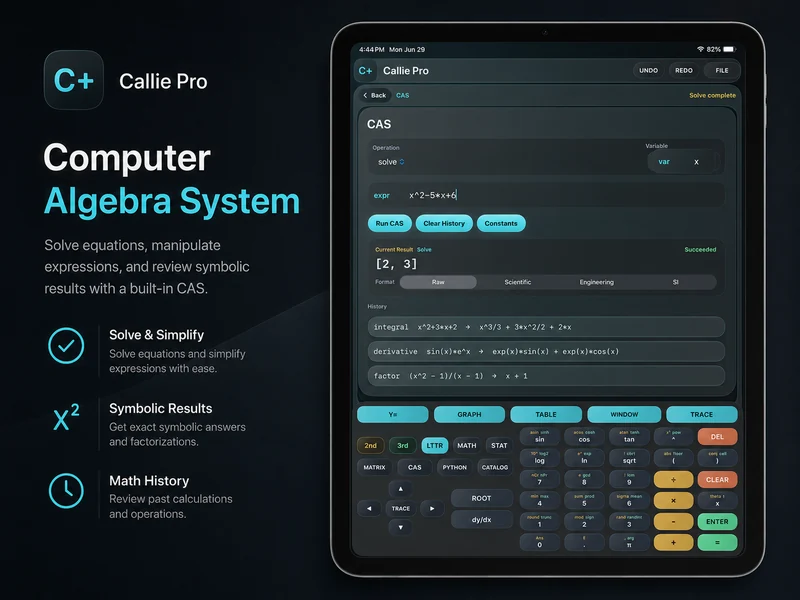
Work with exact expressions.
Use supported simplify, factor, expand, solve, derivative, integral, limit, and substitution operations without forcing every result into a floating-point approximation.
Differentiate, integrate, and evaluate supported limits.
Review previous operations and results while the structure of the session is still visible.
Choose a useful result format.
Result controls make symbolic output easier to read and carry into the next part of the problem.
Continue into another workspace.
Move to graphing, Table, Trace, Matrix, or Python when exact structure needs visual or numerical follow-up.
Related Callie Pro topics
Keep exploring the math.
Explore Callie Pro in depth.
The user guide covers graphing, Temporal Mode, Complex 3D, CAS, Python, Matrix, Stats, Table, Trace, constants, and export workflows.