

Test loops, functions, roots, integration approaches, and calculator-style workflows.
Local Python workspace
Use a small script when the calculation outgrows a formula.
Callie Pro includes a protected local Python workspace for visible, editable numerical scripts and calculator-style math experiments on iPad.
It is intentionally restricted: the workspace is for local numerical exploration, not networking, package installation, file browsing, or subprocesses.
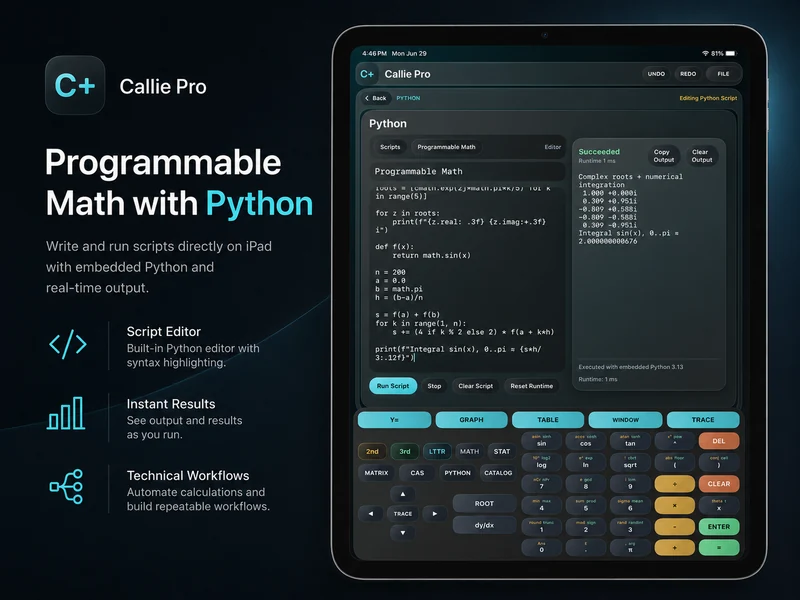
Keep the script visible and editable.
Write a numerical experiment directly in the editor, run it locally, inspect the output, and revise the calculation without hiding the logic behind a single button.
Review printed values and errors beside the script that produced them.
Keep a calculation readable enough to adjust and run again.
Use a deliberately limited local sandbox.
The Python workspace cannot access the network, browse files, install packages, or run subprocesses. Those boundaries keep it focused on math inside Callie Pro.
Pair scripts with native math tools.
Use CAS for exact structure, Matrix and Stats for dedicated operations, Catalog for constants, and graphing for visual inspection before or after a script.
Related Callie Pro topics
Keep exploring the math.
Explore Callie Pro in depth.
The user guide covers graphing, Temporal Mode, Complex 3D, CAS, Python, Matrix, Stats, Table, Trace, constants, and export workflows.