

Inspect where |f(z)| grows, falls, or approaches zero.
Complex 3D graphing
Turn a complex function into a surface you can inspect.
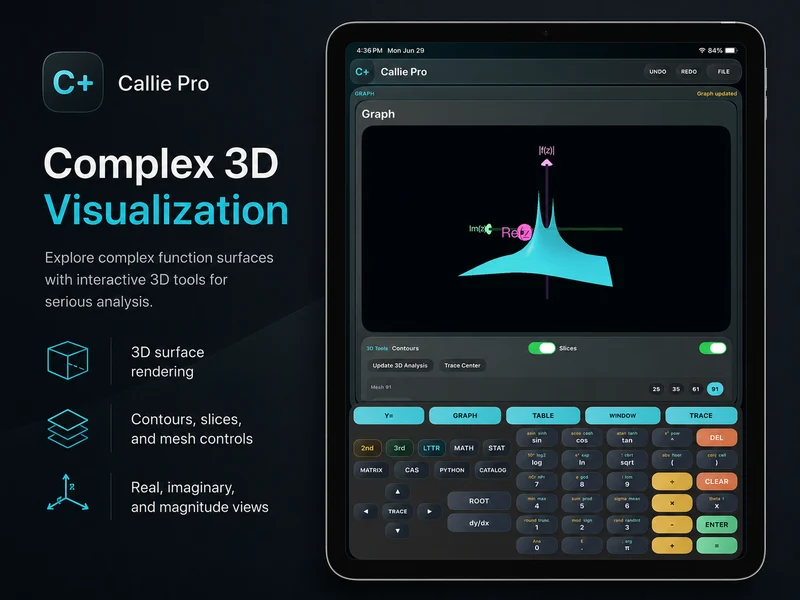
Enter f(z), choose a height view, and explore the complex plane as an interactive 3D surface with rotation, zoom, contours, slices, and supported trace readouts.
Complex 3D is useful when roots, poles, branch behavior, singularities, or transformations are easier to understand as structure than as a list of values.
Choose what the surface represents.
Display magnitude, argument, real part, or imaginary part as height over the complex plane. Switching views can reveal different behavior in the same function.
Study phase behavior and discontinuities from another geometric view.
Separate components when their individual structure matters.
Inspect rather than merely render.
Rotate and zoom the surface, adjust mesh detail, enable contours or slices, and use supported Trace tools to connect a visible feature back to values.
Keep the surrounding math close.
CAS, Python, Matrix, Table, and 2D graphing remain in the same workspace when a surface raises the next question.
Related Callie Pro topics
Keep exploring the math.
Explore Callie Pro in depth.
The user guide covers graphing, Temporal Mode, Complex 3D, CAS, Python, Matrix, Stats, Table, Trace, constants, and export workflows.