

Trace graphs and locate roots, extrema, and intersections.
Move from a visual graph to inspectable coordinates and analysis markers with Trace, tap-to-trace, root, derivative, minimum, maximum, and intersection tools.

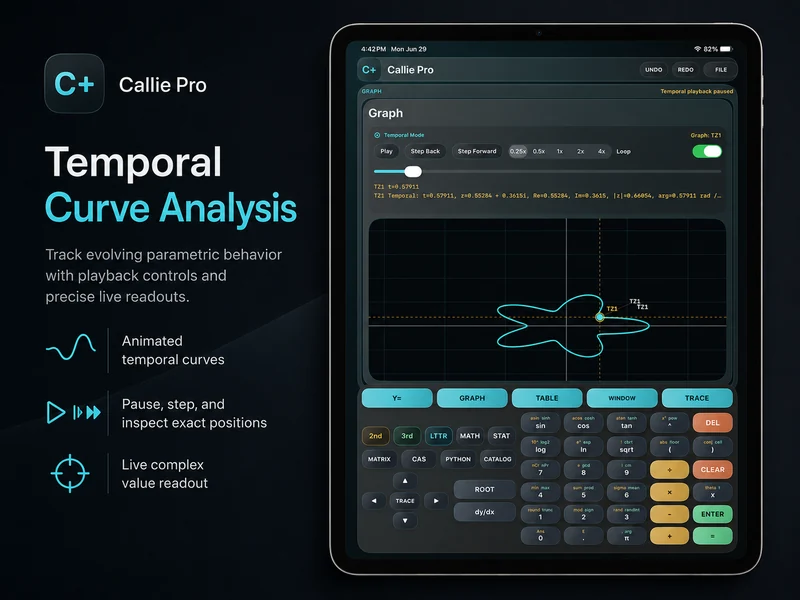
How do you inspect an exact point on a Callie Pro graph?
Trace follows a selected expression and reports values at the current position. Tap-to-trace provides a faster way to move near a visible feature, while graph analysis tools mark roots, derivatives, extrema, and intersections where supported.
Keep the graph window tight enough that the feature is visible before running an analysis command.
Start broad, then inspect the feature.
- 1
Select the expression
Choose the graph you want to inspect when more than one expression is visible.
- 2
Start Trace
Open Trace and move the active point along the curve, or tap near the feature you want to inspect.
- 3
Choose an analysis tool
Use Root, dy/dx, Minimum, Maximum, or Intersection when the mathematical question calls for that result.
- 4
Verify in context
Check the marker against the visible curve and use Table when nearby sampled values help confirm the result.
Try a concrete case.
Find a root
Graph a function that crosses the x-axis, frame the crossing, then run Root on the selected expression.
Y1 = x^2 - 4Find where two graphs meet
Plot two expressions, select Intersection, and inspect the marked shared point.
Continue in the definitive manual.
These links open the exact Callie Pro guide sections used as the factual source for this tutorial.
Open the complete manual section.
Read in the manual Starting TraceOpen the exact subject in the complete user guide.
Read in the manual Tap-To-TraceOpen the exact subject in the complete user guide.
Read in the manual Analysis MarkersOpen the exact subject in the complete user guide.
Read in the manual Graph Analysis ToolsOpen the complete manual section.
Read in the manual RootOpen the exact subject in the complete user guide.
Read in the manual Minimum And MaximumOpen the exact subject in the complete user guide.
Read in the manual IntersectionOpen the exact subject in the complete user guide.
Read in the manual