

Diagnose graph, calculation, and export problems methodically.
Check expression validity, graph type, domain, window, and operation requirements in a consistent order before rebuilding the work from scratch.

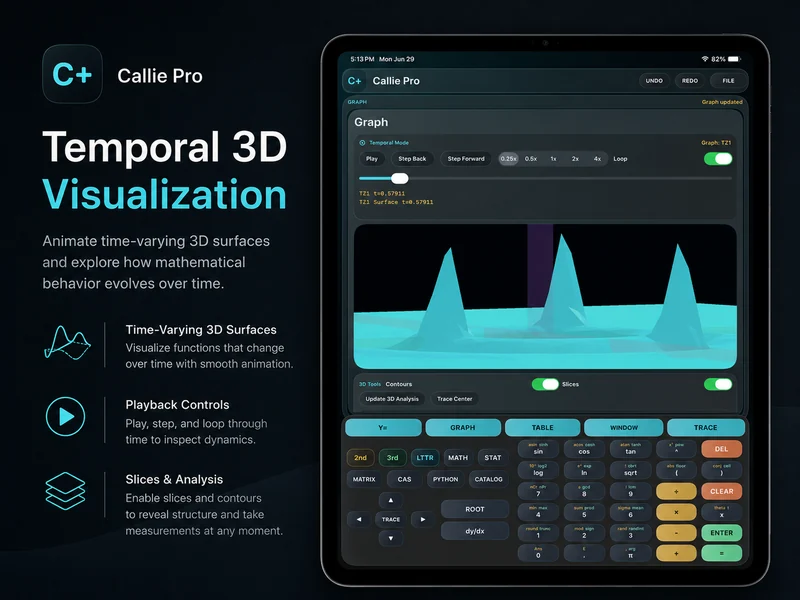
What should you check first when a Callie Pro graph is blank?
A blank graph commonly comes from an invalid expression, a hidden row, a graph type that does not match the entered fields, a domain with no visible samples, or a window that excludes the result.
For 3D and Temporal work, reduce mesh or playback load when the model is valid but the display is incomplete or heavy.
Change one variable at a time.
- 1
Validate the input
Review the expression, required fields, matrix dimensions, dataset, or script for visible errors.
- 2
Confirm the workspace and graph type
Make sure the selected mode matches the kind of expression or operation being entered.
- 3
Check domain and view
Use Fit, Window, or Reset and confirm the expression's domain produces visible values.
- 4
Reduce rendering load or retry the operation
Lower 3D mesh detail or Temporal playback demand when the issue is performance-related, then rerun the focused action.
Try a concrete case.
Blank 2D graph
Confirm the row is visible, check the expression, use Fit, and inspect Table values.
3D surface with holes
Review the function's domain and singularities, then reduce mesh detail if rendering load is contributing.
Matrix operation failed
Confirm dimensions and whether the requested operation is defined for the entered matrix.
Continue in the definitive manual.
These links open the exact Callie Pro guide sections used as the factual source for this tutorial.
Open the complete manual section.
Read in the manual The graph is blankOpen the exact subject in the complete user guide.
Read in the manual The graph is too small or off-screenOpen the exact subject in the complete user guide.
Read in the manual A 3D surface has holesOpen the exact subject in the complete user guide.
Read in the manual Temporal playback feels heavyOpen the exact subject in the complete user guide.
Read in the manual A CAS result is not what you expectedOpen the exact subject in the complete user guide.
Read in the manual Python did not runOpen the exact subject in the complete user guide.
Read in the manual Matrix operation failedOpen the exact subject in the complete user guide.
Read in the manual Export did not go where expectedOpen the exact subject in the complete user guide.
Read in the manualTroubleshoot Callie Pro graphs questions
Answers drawn from the visible Callie Pro workflow above.
Check expression validity, row visibility, graph type, domain, and the current Window. Fit or Table can help distinguish a display problem from an expression problem.
The function may be undefined or singular in that region, or the render may need a different mesh detail. Check the domain and function before treating the gap as a display error.